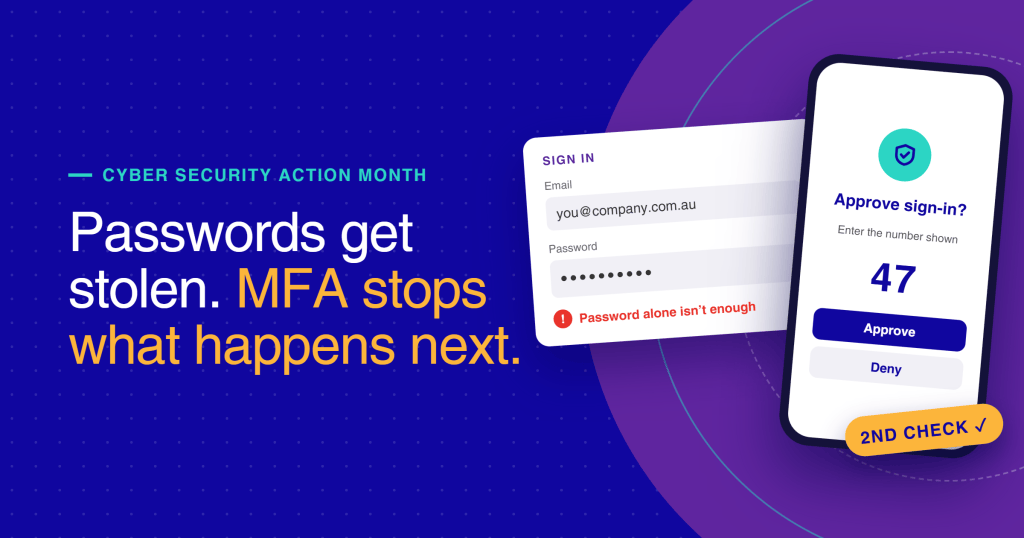
A stolen password used to be enough to get into a business inbox. With multi-factor authentication on business email, it isn’t.
Email is where invoices are approved, contracts are sent and customer details are shared. That makes it the first place an attacker goes. Multi-factor authentication (MFA) adds a second check at sign-in, so a leaked or guessed password on its own can’t open the account.
The Australian Cyber Security Centre lists MFA as one of its Essential Eight strategies for reducing cyber security incidents. For organisations in insurance, financial services and health, it’s now a baseline expectation from auditors, insurers and customers.
This article explains what MFA is, why business email needs it, which methods offer the best protection, and what a good rollout looks like.
In this article
- What multi-factor authentication is
- Why business email needs MFA first
- Which MFA method offers the best protection?
- What a good MFA rollout looks like
- Common MFA mistakes to avoid
- Frequently asked questions
Key takeaways
- MFA asks for a second proof of identity, so a stolen password alone can’t open an inbox.
- Authenticator apps and passkeys are stronger than SMS codes.
- MFA should cover every account, starting with administrators and finance staff.
- A good rollout is planned, explained to staff and has no exceptions.
- Never approve an MFA prompt you didn’t request.
What multi-factor authentication is
Multi-factor authentication asks for two or more different kinds of proof before someone can sign in:
- Something you know: a password or PIN
- Something you have: a phone, an authenticator app or a physical security key
- Something you are: a fingerprint or face scan
If one factor is compromised, the attacker still needs the other. Two-factor authentication (2FA) is simply MFA with two factors, and is the most common setup for business email.
Why business email needs MFA first
A compromised inbox gives an attacker much more than emails. From one account, they can:
- reset passwords for other business systems
- read past conversations with clients and suppliers
- send convincing fake invoices from a real address
- quietly forward sensitive documents to themselves
Many business email compromise attacks start with a single reused or phished password. Passwords get stolen through data breaches, phishing emails and guesswork, often without anyone noticing. MFA means a stolen password stops being enough.
Which MFA method offers the best protection?
Not every method offers the same protection. The best choice is the strongest option your team can use every day.
| Method | How it works | Protection | Best for |
| Passkeys or security keys | A device-based key or USB/NFC key confirms sign-in | Strongest; resists phishing | Administrators, finance and executives |
| Authenticator app | An app shows a code or asks you to approve with a matching number | Strong | Most staff |
| SMS or voice code | A code is sent by text or call | Basic; can be intercepted or redirected | Backup only |
| Email code | A code is sent to another inbox | Weak | Avoid for business email |
For most organisations, an authenticator app for all staff, with passkeys or security keys for high-risk roles, gives strong protection without slowing anyone down. Microsoft 365 and Google Workspace both support these methods.
What a good MFA rollout looks like
Most MFA projects stall on people, not technology. Whether your IT team or provider handles the setup, a good rollout has these five things:
- High-risk accounts first. Administrators, finance, executives and anyone who approves payments.
- Staff told in advance. People know why it’s happening, what they’ll see and when.
- A simple guide. A one-page guide with screenshots, plus who to contact for help.
- A plan for lost phones. Backup methods and a clear way to verify someone before resetting their MFA.
- No exceptions. Shared mailboxes and service accounts are covered too, and weak methods are switched off.
If you’re not sure whether your organisation has all five, ask your IT team or provider. It’s a quick conversation that closes one of the most common gaps in business security.
Common MFA mistakes to avoid
- Leaving exceptions in place. One account without MFA is the one attackers will find.
- Relying only on SMS. Fine as a backup, but not as the main method.
- Ignoring MFA fatigue. Attackers send repeated prompts hoping someone taps Approve. Teach staff to deny unexpected prompts and report them.
- Forgetting older email apps. Legacy apps that can’t do MFA create a back door.
- Treating MFA as the finish line. It’s one layer. Staff awareness and secure ways to share files matter too.
Keep your business communication secure
Multi-factor authentication on business email protects the front door. The next step is protecting what moves through it: the documents, contracts and customer details your team sends every day.
CoTé builds Australian software for organisations that need their customer communications to be secure and auditable, including Share for secure file sharing and Zign for eSignatures with a full audit trail. CoTé is ISO/IEC 27001 certified and holds a SOC 2 Type II report.
Want safer business communication across your team? Talk to CoTé.
Frequently asked questions
What is multi-factor authentication for business email?
It’s a sign-in check that asks for a second proof of identity, such as an authenticator app or security key, as well as a password. It stops someone getting into a business inbox with a stolen password alone.
Is MFA the same as two-factor authentication?
Two-factor authentication is a type of MFA that uses exactly two factors. Most business email setups use two factors: a password plus an app or key.
Which MFA method is most secure?
Passkeys and physical security keys are the strongest because they resist phishing. Authenticator apps are a strong choice for most staff. SMS codes should be a backup only.
Does MFA slow staff down?
Barely. Most authenticator apps take a few seconds to approve, and many systems only ask again on new devices or after a set time.
What should staff do if they get an MFA prompt they didn’t request?
Deny it, change their password and report it straight away. An unexpected prompt usually means someone else has their password.